For people
Remote control: drive a phone from another iPhone or a browser
The daemon that serves agents also serves people. You get a live picture in a browser or the iOS app, and you can tap, swipe and type. With the app signed by a paid developer team, the phone can host its own control service, so no computer is needed. With a cloud relay added, you can reach it from any network.
Three ways to connect
The phone is plugged into a Mac or on the Mac's Wi‑Fi. You drive it from the Mac's control page or from the iOS app. The picture is H.264, encoded on the phone.
Phone Use on the controlled phone runs the control service itself, so no Mac is needed at run time. Another phone on the same network connects to it directly.
The controlled phone dials out to a relay you deploy, and the controller reaches it through that relay from any network. The phone needs no open port and no VPN.
Install the app
The app is not in the App Store. You build and install it with your own developer team:
$ iphone-use setup-app                    # the default instance's phone
$ iphone-use setup-app --instance i13 # another phone- A paid team gets the full app, with local control. A free Apple ID can only sign the remote app, which connects to phones a Mac hosts.
- Before the first launch, trust your developer certificate in Settings › General › VPN & Device Management.
- The first time the app reaches the local network, iOS asks for permission. Allow it.
Self-hosted: no computer needed
- Pair once: after installing,
setup-apppairs the phone over USB and hands the pairing record to the app. After that, nothing at run time needs the Mac. - Turn it on: on the controlled phone, open Phone Use › Settings › 本机控制 (Local control) › 启用本机控制 (Turn on local control), and allow the VPN configuration. Local control takes the one VPN slot iOS allows, so it cannot run alongside Tailscale or another VPN.
- Connect: tap 让其他设备连接 (Let other devices connect) to show a QR code, and scan it with Phone Use on the other phone.
Local control and the Mac's runner compete for the same automation session. To use local control, first run iphone-use setup pause --instance <name> on the Mac. To go back to the Mac, stop local control in the app, then run iphone-use setup resume.
Connect without touching the controlled phone
When both phones are connected to the Mac, one command connects the controller with no QR code:
$ iphone-use setup-app --instance i13 --connect-to default --connect-onlyOver USB, the Mac drops a one-time code into the controlled phone's app. The code is valid for 5 minutes. The Mac then opens the connection link on the controller, which asks once: tap 连接 (Connect).
Across networks: the cloud relay
Use the relay when the controlled phone is at home and you are out, for example on cellular. The relay only forwards traffic. Sign-in, pairing codes and device tokens are still checked by the daemon on the controlled phone.
controller ──https──▶ relay /p/<id>/… ──WebSocket──▶ daemon on the controlled phoneDeploy your own relay
The relay is a Cloudflare Worker with one Durable Object per phone. It lives in the repository's relay/ directory. Deploy it with your own Cloudflare account:
$ cd relay && npm install
$ npx wrangler login
$ $EDITOR wrangler.toml        # your own domain, or delete routes for workers.dev
$ npx wrangler deploy
$ curl https://<your relay>/   # → iphone-use relay
Connect a phone through it
$ iphone-use setup-app --instance <controlled phone> --connect-to <controlling phone> \
    --connect-only --relay https://<your relay>
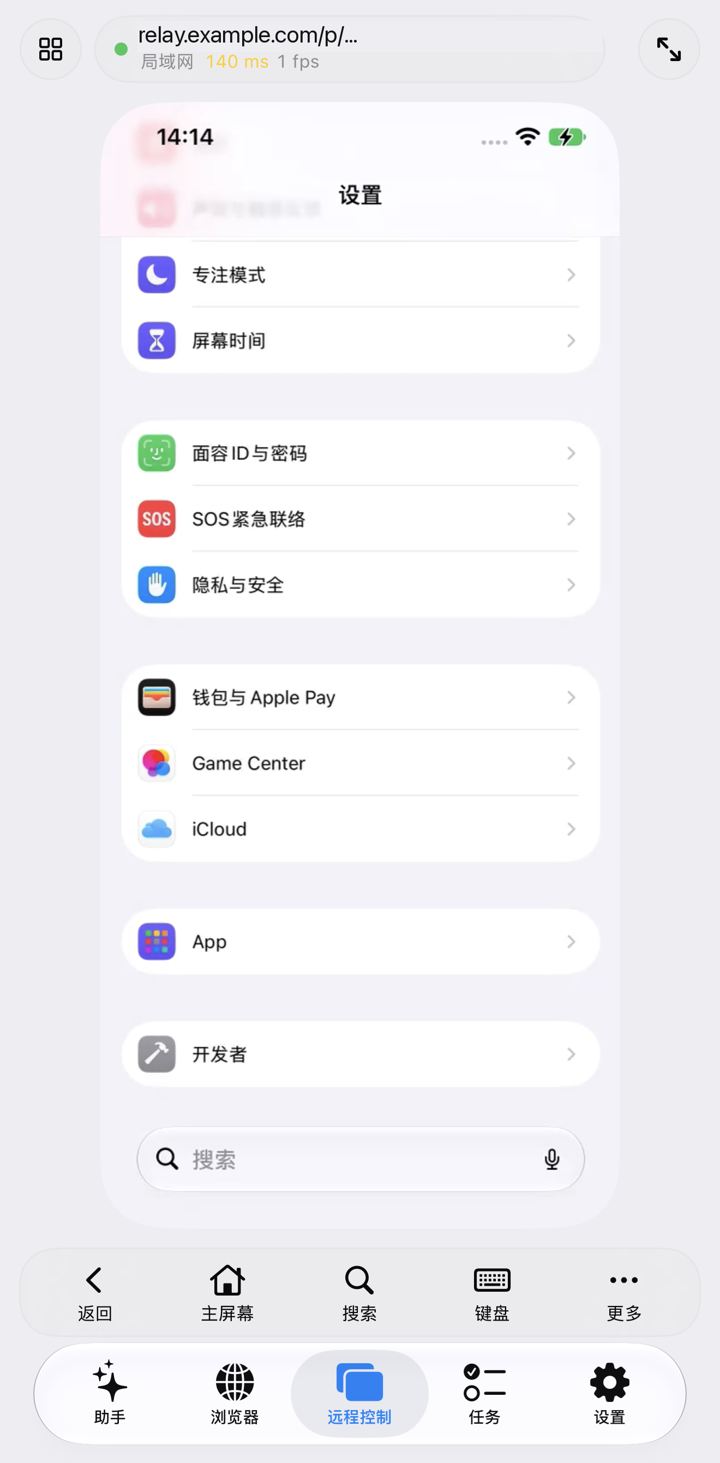
Once the controlled phone has the relay address, it keeps one outgoing connection open. When the controller is on the same Wi‑Fi, the app switches to a direct LAN connection and the status bar shows 局域网 (LAN). Away from that network, the app goes back through the relay and shows 外网 (Internet). A daemon on a Mac connects to the relay too when IPHONE_USE_RELAY_URL=https://<your relay> is set.
Cost and limits
- Outbound Worker traffic is free. The relay uses WebSocket hibernation, so a phone that is connected but not being watched bills no duration.
- An hour of watching at about 10 frames a second costs roughly 1,800 requests and 450 GB·s. The paid plan includes enough for about 890 hours a month. Check Cloudflare's current prices.
- The relay has flow control: when the network cannot keep up, it sends fewer frames instead of building up lag. Picture quality depends on the controller's download speed.
- TLS ends at Cloudflare, so the relay can see the traffic it forwards. Deploy your own relay if that matters to you.
- Use the iOS app through a relay. The daemon's web page assumes it is served from the root path, so it does not work through the relay yet.
FAQ
Why not Tailscale?
iOS allows only one VPN at a time, and local control already uses that slot. When a Mac hosts the phone, a VPN such as Tailscale still works for reaching the Mac.
The picture is black, but taps work?
Check the latency and frame rate in the status bar. A very low frame rate away from home usually means the controller's connection is too slow; it speeds up again on the LAN. If no picture appears at all, tap 重新加载画面 (Reload picture).
Who can connect to my phone?
Only a device that holds a one-time pairing code (the QR code, or --connect-to) or has paired before. The id in a relay address is random, and the relay pins the key the phone first presents, so nobody else can pose as that phone.
Next: How it works · Privacy & security.